If you want to create your own custom workflow
Workflow:
RingOutCustom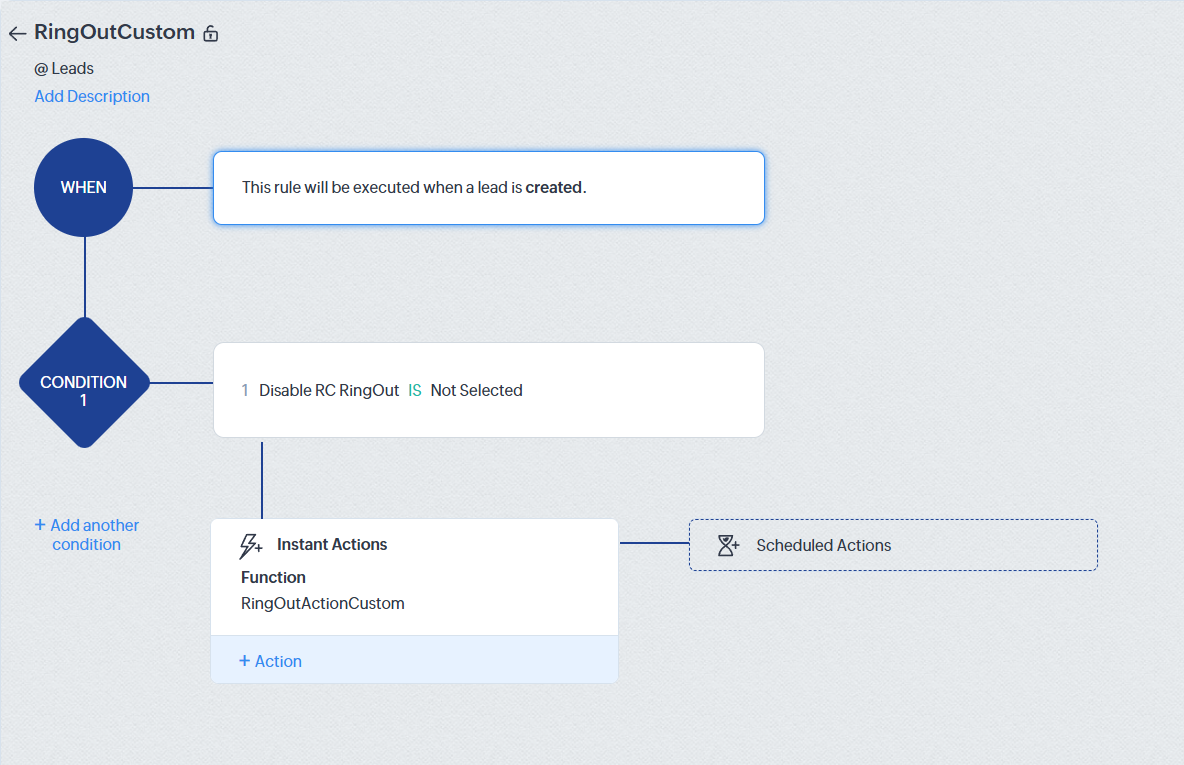
create custom function RingOutActionCustom
must have the following arguments: "recordId" and "module"
static text for module's value (in our case
Leadsno quotes "" necessary, just plain text Leads or Deals)Map recordId to the desired module's record id (Leads.Lead Id as seen on screenshot)
in the function paste the following code:

void automation.RingActionCustom(String recordId,String module)
{
m = {"nameSpace":"dialpadringautodialer"};
apikeyresp = zoho.crm.invokeConnector("crm.zapikey",m);
zapikey = apikeyresp.get("response");
url = "https://www.zohoapis.com/crm/v2/functions/dialpadringautodialer__ringrest/actions/execute?auth_type=apikey&zapikey=" + zapikey;
resp = invokeurl
[
url :url
type :POST
parameters:({"module":module,"recordId":recordId}).toString()
];
info resp;
}